
You’re looking at that $30–$60 monthly bill for your parent’s medical alert system, and nothing has happened in six months. No falls, no emergencies, just a check that keeps arriving. You start wondering: Is there a medical alert system for seniors with no monthly fee?
There are exactly two mainstream brands that sell a device with no monthly fee: Silent Beacon and LogicMark. The catch? “No monthly fee” means “no one’s watching the other end.”
You’re trading a professional monitoring center for a button that dials 911 or your contacts directly. No fall detection. No call center. No one to check if you’re okay when you can’t speak.
Before you buy one, let’s walk through what that actually means for your parent — and whether it’s worth the savings.
Key Takeaways
Two brands offer no-monthly-fee medical alert systems: Silent Beacon ($59.99 one-time) and LogicMark ($199–$399 one-time), but both are unmonitored and lack fall detection.
Unmonitored systems call 911 or programmed contacts directly — no professional call center, no one to assess the situation if the person can’t speak.
For most seniors, a low-cost monitored system like Bay Alarm ($24.95/month) or MobileHelp ($25.95/month) is safer and still affordable.
Table of Contents
How No-Monthly-Fee Systems Actually Work
With a monitored system, you press a button and a live agent talks through a speaker, figures out what’s happening, and decides whether to call family or an ambulance. Most providers run two monitoring centers in different parts of the country for backup, and some agents have EMT training.
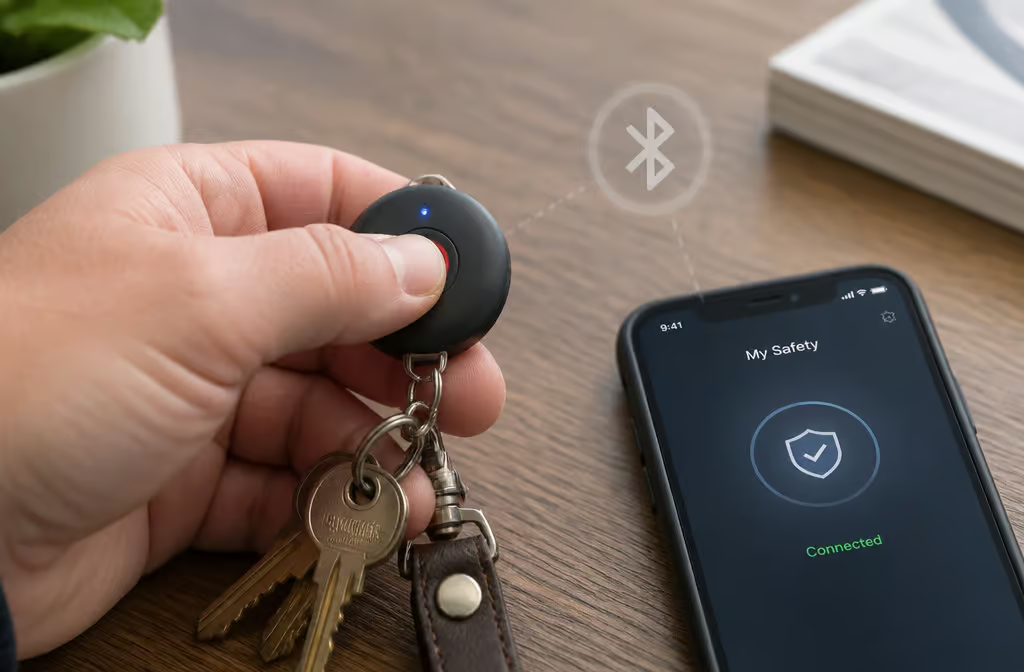
With a no-monthly-fee system, you press the button and it rings 911 or your pre-programmed contacts. That’s it. No middle person. No one to explain that Mom fell in the garden and can’t reach the phone. You’re on your own to decide when 911 is the right call.
Silent Beacon
Silent Beacon has been around since 2013 and sells to the general public, not just seniors. It’s a small disc-shaped panic button that clips to a belt, bag, or keychain. The catch: it uses Bluetooth and your smartphone’s GPS, so the phone has to be within Bluetooth range, charged, and on. If the phone is in another room, the button is useless.
One-time cost is $59.99. It calls 911 plus up to seven emergency contacts. You can buy it on the company website or through Amazon, and it goes on sale throughout the year. But remember: your parent has to carry their phone everywhere, and the phone has to work.
LogicMark
LogicMark started in 2006 making landline systems and has since moved to cellular. Their Guardian Alert 911 Plus runs on 4G LTE — no landline, no smartphone required. The device works independently.
LogicMark’s one-time fee ranges from $199 to $399 depending on the model (the basic Guardian Alert 911 is $199). It calls 911 plus up to four emergency contacts. Sold at Walmart, Amazon, and other stores. This one is easier to set up and doesn’t rely on Mom’s phone, but it’s still unmonitored. No fall detection, no professional monitoring.
What You Sacrifice: The Hidden Costs of “Free” Monitoring
You’re swapping a monthly fee for real safety gaps. Here’s what you lose.

No Professional Monitoring
With a monitored system, a live agent talks through a speaker, assesses the situation, and decides whether to call family or an ambulance. Some agents have EMT backgrounds. Most providers run redundant call centers — if one goes down, the other picks up.
With a no-fee system, the device simply dials 911. If your parent can’t speak — unconscious, confused, in pain, nobody is there to fill in the gap.
No Fall Detection: The Critical Gap
No no-monthly-fee system has automatic fall detection. The device can’t tell a fall from a dropped pendant. If the person can’t push the button, no one is called.
The stakes are real: over one in four older adults falls each year. A lie time of 72 hours after a fall increases mortality risk by 67%. One geriatrician in Honolulu notes that rhabdomyolysis can begin in as little as an hour on the floor.
Fall detection was the most-wanted feature in a February 2025 buyer survey — and you can’t get it without a monthly fee. Yet despite these risks, only 15% of older adults have seriously considered home modifications for aging in place safely.
Wrist-worn detection is less accurate than neck- or belt-worn, and it typically costs $5–$12/month extra on monitored plans. But it’s still light-years ahead of nothing.
Limited Range and No Mobile Coverage
Most no-fee systems are home-only. Silent Beacon is confined to Bluetooth range of a smartphone. LogicMark runs on 4G LTE but is positioned as a home device, not a mobile tracker. Compare that to monitored systems where in-home range is typically 200–1,000 feet (about three football fields at the high end), and mobile devices use GPS, Wi-Fi, and cellular to send your exact location.
Also: water-resistant means shower-safe, not submersible. Don’t drop it in the bath. For context, the length of an average city block is 400 feet, so a 1,000-foot range covers about two and a half blocks.
No Caregiver Apps or Activity Tracking
Monitored systems often pair with caregiver apps where family can check location, get low-battery alerts, receive notifications when the button is pressed, or send reminders. Some apps cost up to $8/month extra. No-fee systems offer none of this. If you want a family member notified, you’re building that notification chain yourself.
Is a No-Monthly-Fee System Right for You?
Here’s how to tell if your parent is in that slice.
Who Should Avoid These Systems
The source is clear: no-monthly-fee systems are not recommended for seniors at high risk of falling. That includes anyone with:
- Dementia
- Parkinson’s disease
- Diabetes
- COPD
- Vision loss
- Medications that cause dizziness or weakness
- A previous fall
- Anyone 80 or older
If your parent lives alone or has mobility issues, a monitored system is safer. Full stop.
Who Might Consider Them
An active, low-risk senior who is rarely alone, has no major health issues, and understands the limitations. Think of someone who wants a backup button while a spouse is in the next room. They’re comfortable pushing a button and talking to a dispatcher. For that person, a no-fee device can be a reasonable backup.
But for most families? The monthly fee is buying something real: a human being who answers when you can’t.
How to Avoid Losing Your Device (and Your Peace of Mind)
A pendant that slips between couch cushions can effectively be gone — and with no monthly fee, there’s no support line to help locate it, leaving you to rely on a practical guide like how to find a lost medical alert device instead.
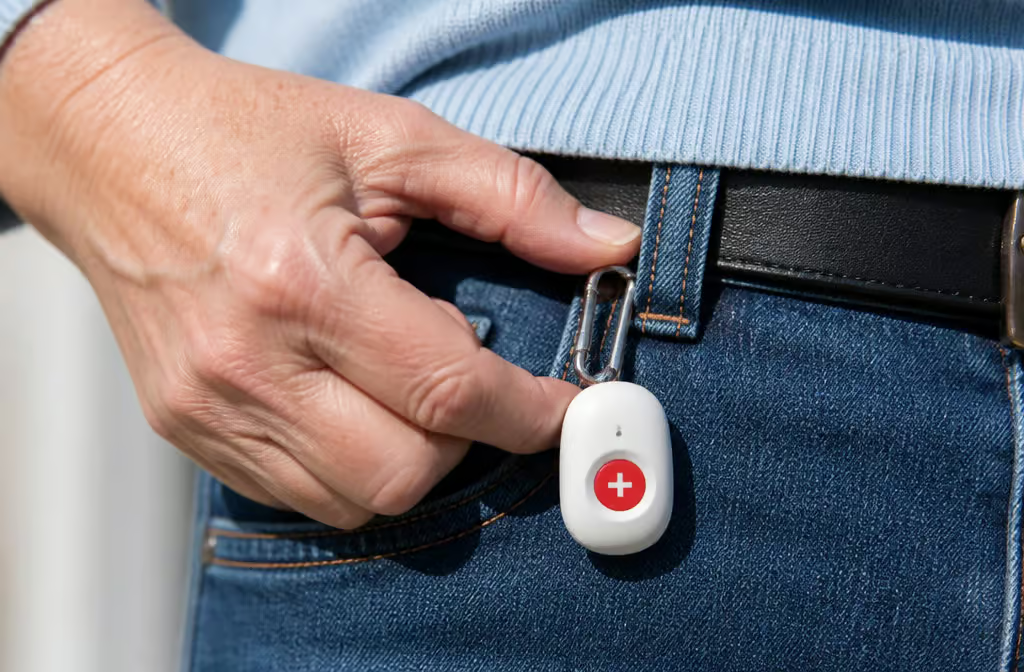
So if you go the no-fee route, you need a plan:
- Attach it to a keychain or clip it to a belt loop or bag. Don’t rely on remembering to put it on.
- Add a Bluetooth tracker (the same kind you’d use for keys) so you can find it from a phone. It’s a separate workaround, but it works.
- Test the device weekly. All medical alert users should test regularly, and check the battery while you’re at it.
- Keep it in one consistent place when not in use — bedside table, bathroom counter, wherever. That way “where did I put it” has an easy answer.
- Watch for false alarms and adjust. If the pendant keeps triggering when placed on a table at night, move it.
Setup is usually 3–5 steps — that part isn’t hard. The hard part is remembering to keep the thing on you.
The Best “Almost Free” Alternatives: Low-Cost Monitored Systems
Here are the cheapest monitored options with real numbers.
Bay Alarm Medical
No contracts, no hidden fees. Free in-home equipment (mobile devices have a one-time fee). Monthly monitoring starts at $24.95 and goes up to $54.95. The SOS Home system includes a cellular base with 1,000-foot range, waterproof help button, and Vial of Life — $27.95/month landline or $34.95 cellular.
Fall detection is $10/month extra. Average response time is 35 seconds (industry standard is 45). Free spousal monitoring — extra pendant $40 one-time. For extra peace of mind, check out these home safety tips for the elderly. 15-day free trial.
MobileHelp
Free equipment across the entire lineup — no upfront or activation fees. Classic Home starts at $25.95/month, range up to 1,400 feet. Elite (mobile) is $37.95/month. Fall detection is $11/month extra.
Cellular-based, no landline needed. No smartwatch or smartphone option. No money-back guarantee, so be sure before you buy.
LifeFone
Starting at $29.95/month. The standout feature: longest battery life tested — 10 full days on the At-Home / On-the-Go VIPx, double the next-longest. Fall detection is just $5/month extra, the lowest in this group. In-home range of 1,300 feet, average response of 22 seconds, rated 9.4/10. GPS tracking available. 30-day money-back guarantee.
Caveat: caregiver app costs extra, and the lifetime warranty covers manufacturing defects only. LifeFone connects to AT&T’s cellular network, not Wi-Fi.
Lively
Mobile2: $79.99 equipment + $24.99/month monitoring + $35 activation fee. Monitoring plans start at $24.99/month — about $10 better than the industry average. 24/7 urgent response agents. Optional fall detection $9.99/month. The Preferred plan ($34.99) adds caregiver app, Premium ($44.99) adds telehealth with board-certified nurses. 30-day money-back, battery backup up to 40 hours. Lively also offers the Jitterbug Smart4 and Smart5 priced at $119.99, and the Jitterbug Flip2 and Flip3 priced at $79.99.
Alexa Emergency Assist
This is the cheapest monitored route if the household already has Amazon Echo devices. About $59/year for Prime members ($79 without), which works out to roughly $5–$8/month. Fastest response time tested: averaged 14.6 seconds to a live operator. Responds to “Alexa, help,” “Alexa, I’ve fallen,” etc. Multiple speakers can be added per room.
But honest limitations: no fall detection, no battery backup (power outage kills it), relies almost entirely on voice (muting the mic disables it), and needs internet. Also, the advertised breaking-glass detection didn’t work when testers smashed glass next to the speaker.
Medical Guardian
Monthly $27.95–$46.95, equipment fee $149.95 for most systems. MGHome Landline/Cellular offers an industry-best 1,400-foot range. Fall detection $10/month extra. Rated 9.9/10 in testing, 29-second average response, battery backup up to 36 hours. But the default automated voice only understands clear yes/no, and the voice-activated wall button was unreliable.
Also, cancellation uncovered an undisclosed restocking fee, and a post-cancellation email mix-up sent a new member’s info to a former customer (company said it was isolated and no health info was shared). Note that Medical Guardian charges a shipping fee unless you opt for an annual subscription.
Quick Comparison
The two to beat: Bay Alarm Medical ($24.95/month, free equipment, no contract) and MobileHelp ($25.95/month, free equipment, no contract). The cheapest overall: Alexa Emergency Assist at roughly $5/month if you already own Echo devices. Fall detection add-on costs $5–$12/month extra depending on provider (LifeFone is cheapest at $5). An average response time under 60 seconds is considered passing, and the brands above mostly beat that by a wide margin.
Smart Ways to Save on Monthly Monitoring Fees
Before you pay full price, check these.
Insurance and Medicare Coverage
Original Medicare Part A/B and most private insurance do not cover medical alert systems. But some Medicare Advantage plans offer partial or full coverage — worth a direct call to your plan. If a doctor recommends the system, it may qualify as a medically necessary expense for tax purposes.
VA Benefits for Veterans
Veterans receiving VA services can get a system at no out-of-pocket cost. Ask their VA primary care provider about eligibility. This is a legitimate path to a free system.
Payment Strategies
Paying annually instead of monthly typically saves 10–20%. Quarterly options exist too. HSA/FSA funds can be used for eligible devices — tax-free money. Some companies offer reduced prices or sliding fees for lower-income households.
Membership and Other Discounts
AARP membership ($15/year, auto-renews) unlocks discounts on select plans. LifeStation offers up to 30% off with some insurance plans. And providers occasionally run discount codes — MobileHelp has offered a free month, Medical Guardian free equipment on MGMini.
Warning: Companies That Charge Too Much and Deliver Too Little
Not all monitored systems are created equal. Two names keep coming up as expensive and restrictive.
Life Alert
The famous “I’ve fallen and I can’t get up” brand is also the most expensive and most restrictive. The Micro Voice Pendant System runs about $69/month with a $248 activation fee, and other packages can go up to $109.85/month. They require a 36-month contract that can only be broken if the customer enters full-time care or dies. They do not offer fall detection.
They don’t post prices online — testers had to make two calls and sit through a 15-minute sales pitch just to get a price. No thanks.
Alert1 and Lifeline
Testers reported aggressive sales tactics from both. Alert1: after one anonymous inquiry, the customer received 5 phone calls, 2 voicemails, and 4 emails between late July and September. Reps pushed limited-time deals and unnecessary add-ons. Lifeline’s sales rep was rude, used scare tactics and guilt — described by testers as one of the most predatory experiences after Life Alert. (Lifeline was purchased by Connect America in July 2021.)
Bottom line: if a company won’t show you prices online, won’t let you cancel without a death certificate, or calls you five times after one inquiry, run.
The Verdict: When “Free” Isn’t Worth It
No-monthly-fee systems are a niche option. They make sense only for an active, low-risk senior who is rarely alone, understands there’s no call center, and is comfortable pushing a button and talking to a dispatcher.
For most seniors — especially anyone with health conditions, living alone, or over 80, the safer bet is a monitored system. And the cheapest monitored options are close to “free” in spirit: Bay Alarm at $24.95/month with free equipment and no contract, MobileHelp at $25.95, or Alexa Emergency Assist at roughly $5/month if the household already runs on Echo.
Health status first, budget second. If your parent is low-risk and always near someone, a no-fee device can be a reasonable backup. If they’re high-risk or live alone, the monthly fee is buying something real — a human being who answers when you can’t.
A monthly fee isn’t a waste of money when it’s the difference between someone answering and a phone that just rings.
People Also Ask
Which medical alert system is the best without monthly fees?
Silent Beacon ($59.99 one-time) and LogicMark ($199–$399 one-time) are the two mainstream options. Neither includes professional monitoring, fall detection, or caregiver apps. Silent Beacon requires a smartphone within Bluetooth range, while LogicMark runs on 4G LTE independently.
How much do low-cost monitored medical alert systems cost per month?
Bay Alarm Medical starts at $24.95/month with free equipment and no contract. MobileHelp starts at $25.95/month with free equipment. Alexa Emergency Assist costs roughly $5–$8/month if you already own Amazon Echo devices. Fall detection adds $5–$12/month extra depending on the provider.
Is a no-monthly-fee medical alert system safe for seniors living alone?
Generally not. No-monthly-fee systems are not recommended for seniors at high risk of falling, including anyone with dementia, Parkinson’s, diabetes, a history of falls, or anyone 80 or older. For seniors living alone, a monitored system is safer because a live agent can assess the situation even if the person can’t speak.