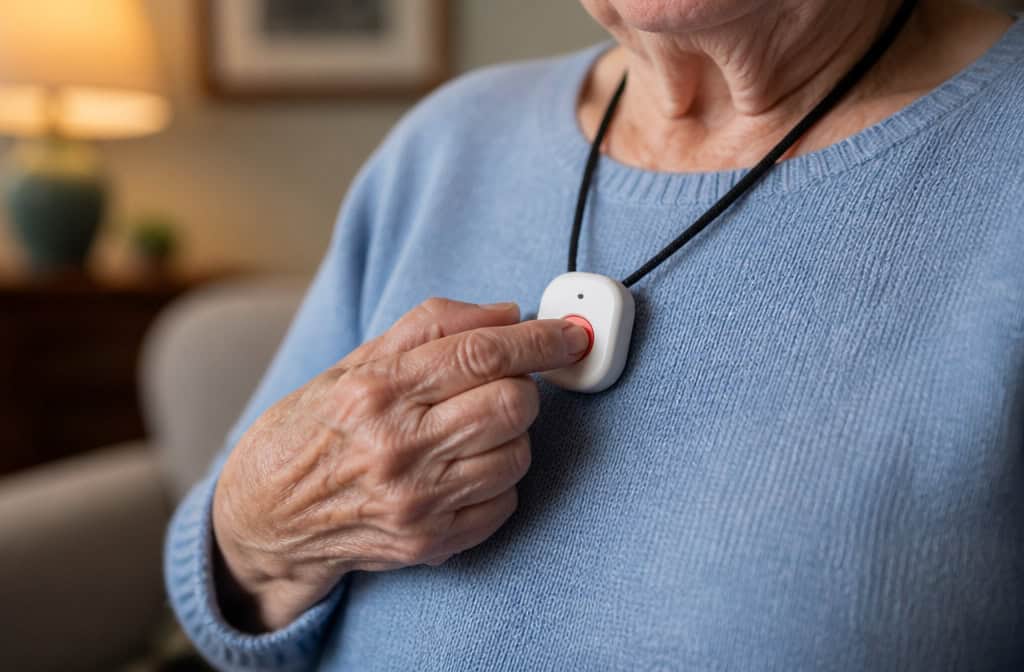
When I started researching fall detection systems for my dad, I didn’t know where to start. Life Alert is the name everyone knows, but is it actually good? And what about all those other brands you see online?
The National Council on Aging spent over 3,000 hours doing the homework I didn’t have time for — they tested 35+ devices, mystery-shopped 15 brands, surveyed over 1,000 users, and consulted doctors who specialize in older adults. The results cut through the marketing noise in a way nothing else did.
Here’s what they found — and what it means for your parent.
Key Takeaways
Only four systems passed NCOA’s fall detection tests: Medical Guardian (9.9/10, caught all 3 test falls, 52-second average response), Bay Alarm Medical (9.8/10, caught all 3 falls, fastest response at 48 seconds), MobileHelp (9.7/10, caught all 3 falls, best value with no equipment fees), and LifeFone (9.4/10, caught 2/3 falls, but 10-day battery life).
Expect to pay $20–$50/month plus about $10/month for fall detection, plus possible equipment and activation fees of $100–$200 — the first year can easily hit $700 without discount codes.
Life Alert is not recommended due to high costs, a mandatory three-year contract, and limited fall detection options — there are better choices without the long-term lock-in.
Table of Contents
Why fall detection matters
One in four older adults falls each year, and more than half of those falls happen at home. Falls are the leading cause of injury-related death for adults 65 and older — so getting help fast is critical.
A “long lie” — being stuck on the floor for over an hour, can cause pressure injuries, loss of mobility, and serious emotional distress. That’s exactly what a fall detection system is built to prevent.
In a 2025 survey, most people said a fall is what finally made them buy a system. It’s a wake-up call. But you don’t have to wait for that call.
That’s where NCOA’s testing comes in. They didn’t just read spec sheets. They spent over 3,000 hours researching, tested 35 devices through 16 different tests, mystery-shopped more than 15 brands, and surveyed over 1,000 users and caregivers. They also interviewed doctors and licensed caregivers who specialize in older adults. The result is a shortlist you can trust.
How NCOA tested — and what they found
NCOA looked at fall detection accuracy, response time, battery life, in-home range, GPS accuracy, and customer service. They even called customer support lines to see how helpful real reps were.
The bar was simple but tough: a system had to detect 3 out of 3 test falls and have an average response time under 90 seconds. Only four systems cleared it.
Here they are side by side.
Comparison at a glance
| Brand | NCOA Rating | Falls Detected | Avg Response Time | Battery Life | Max Range | Starting Monthly + Fall Detection |
|---|---|---|---|---|---|---|
| Medical Guardian | 9.9/10 | 3/3 | 52 seconds | 5 days | 1,400 ft | $36.95 + $10 |
| Bay Alarm Medical | 9.8/10 | 3/3 | 48 seconds | 3 days | 1,000 ft | $24.95 + $11 |
| MobileHelp | 9.7/10 | 3/3 | 62 seconds | 4 days | 1,400 ft | $25.95 + $10 |
| LifeFone | 9.4/10 | 2/3 | 49 seconds | 10 days | 1,300 ft | $29.95 + $5 |
Note: LifeFone caught only 2 of 3 test falls, which is why its rating is lower. But the tradeoff might be worth it for some people — more on that below.
Medical Guardian: Best overall
NCOA gave Medical Guardian a 9.9 out of 10 — near-perfect. It caught all three test falls, and the average response time was 52 seconds. Range is 1,400 feet, which covers most homes and then some, even the backyard. Battery lasts about five days, so you’ll need to remember to charge it, but it’s not a daily chore. It has GPS tracking, so if your parent is in the yard or at the store, the dispatcher knows where they are.
Monthly cost: $36.95 for the base plan, plus $10 for fall detection. Equipment fees run $149–$199. Customer service is available seven days a week via phone, email, and chat — only two brands on this list offer that.
The tradeoff: This is the most expensive option overall. But the equipment fee stings less if you use the NCOA discount code NCOAFREE, which gets you free equipment. First-year cost with the code: about $563 instead of $763.
Bottom line: If you want one system that checks every box, this is it. You don’t have to overthink it.
Bay Alarm Medical: Best customer service
Bay Alarm scored a 9.8 — basically tied for first, just a hair behind. But it had the fastest response time of any system tested: 48 seconds. NCOA also reported that their customer service interactions were positive, and Bay Alarm offers 24/7 support across all channels, seven days a week.
Monthly cost: $24.95 for the base plan, plus $11 for fall detection. Equipment fees are $149–$199. Range is 1,000 feet — still plenty for most homes, but less than Medical Guardian or MobileHelp. Battery life is about three days (with 32 hours of backup), so you’ll be charging it more often. These devices are a key part of a broader approach to home safety tips for the elderly, and it uses TMA Five Diamond monitoring, which is a solid industry standard.
The tradeoff: Fastest response and great customer service, but shorter battery life means more frequent charging. If your parent is someone who will forget to plug it in, this might be a problem.
MobileHelp: Best value
MobileHelp scored a 9.7 — still excellent. The big difference? No activation fees and no equipment fees. You pay $25.95 a month plus $10 for fall detection, and that’s it. Range is 1,400 feet (same as Medical Guardian), battery lasts about four days (30 hours backup), and response time averaged 62 seconds, just over a minute, which is fine but not the fastest.
Monthly cost: $25.95 + $10 for fall detection. There’s a three-month minimum contract, unlike Medical Guardian and Bay Alarm which are month-to-month. Use the discount code SAFE4FREE for a free month and about $230 in savings.
The tradeoff: Best value on paper, but NCOA noted hiccups during testing — the device required a software update, and the packaging was hard to open for someone with limited dexterity. Worth considering if your parent has arthritis or isn’t comfortable with tech.
LifeFone: Longest battery
LifeFone scored a 9.4 — still solid, but it only caught 2 out of 3 test falls. That’s the big caveat. For some people, yes, because the battery lasts up to 10 days. You can forget about charging it.
Monthly cost: $29.95 plus just $5 for fall detection (cheapest add-on). No equipment or activation fees. Range is 1,300 feet. Response time averaged 49 seconds — fast, which is good because you’re trading off some detection accuracy, as can be the case with unmonitored medical alert systems that rely on local base stations or Bluetooth and offer no central monitoring center to ping the device.
The tradeoff: If forgetting to charge is a real problem for your parent, this might be the right system. But you’re accepting that it might not catch every fall. Also, the caregiver app costs an extra $8/month — so watch for that.
Other systems to consider
The four above are NCOA’s top picks, but you may have heard of some other brands. Here’s how they compare.
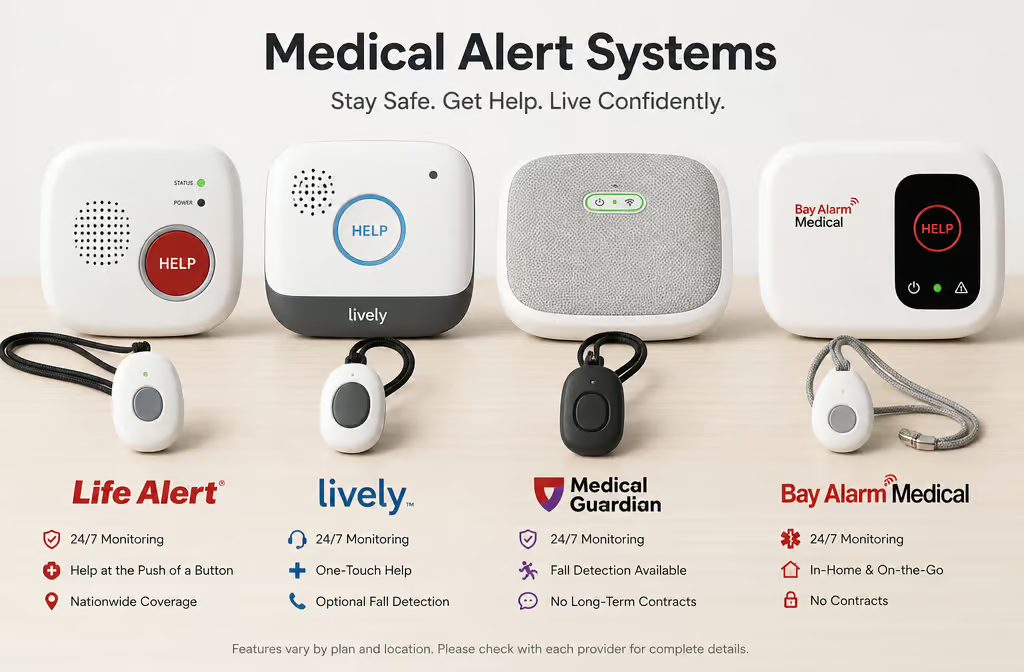
ADT Medical Alert System
SafeHome ranked it 3rd with a SecureScore of 8.9. Starts at $29.99/month, lifetime warranty. Fall detection is an $11/month add-on. Range is only 300–600 feet with 20-hour battery backup.
There’s a $99 activation fee, but equipment is free with subscription. Good if you already trust ADT for home security — just know the range is limited.
Lifeline
SafeHome ranked it 5th with a SecureScore of 8.2. Starts at $34.95/month, only a one-year warranty. Fall detection is available as an add-on. Range up to 800 feet with 30-hour battery backup.
No money-back guarantee — so test it quickly. Includes a lockbox for emergency services if you pay annually. Most recognized brand, but not the best value.
GetSafe
SafeHome ranked it 8th with a SecureScore of 7.9. Starts at $29.95/month with a one-year warranty. Unique selling point: no wearable required. It uses listening devices placed around the home that respond to voice commands.
You can add a wearable if you want, and there are panic buttons for backup. Owned by Bay Alarm, so you get that customer service backing. Great for someone who hates wearing a pendant or watch.
Lively
SafeHome ranked it 9th with a SecureScore of 7.8. Starts at $24.99/month — one of the cheapest, but there’s no warranty. Known for a friendly monitoring center, which can make a big difference. Good mobile options for active seniors.
Aloe Care Health
SafeHome ranked it 10th with a SecureScore of 8.6. Starts at $39.99/month, and a warranty is included. Designed with caregivers in mind — good if you’re the one checking in from afar. On the pricier side, but the caregiver features might make it worth it.
Unaliwear
A sleek smartwatch that doesn’t scream “medical device.” Starts at $80/month — that’s a lot, plus $299 for the equipment. Includes medication reminders and a limited lifetime warranty. You can adjust the fall detection sensitivity.
Fall detection is built in, no extra fee. Good for someone who wants a watch, not a pendant, but the cost is steep.
Apple Watch
The Apple Watch has fall detection, but NCOA doesn’t recommend it as a primary device. It only detects hard falls — the kind where you hit the ground. Most older adults have a mix of hard and soft falls (sliding, collapsing), and the watch can miss those. It has great accessibility features.
VoiceOver, 15x zoom, hearing aid support, but that doesn’t make up for poor fall detection. Great as a bonus, not as your main system.
How fall detection technology works (and its limits)
When I first read NCOA’s finding that 83 out of 84 alarms from a commercial system were false, I almost gave up on the whole idea. But here’s why that number doesn’t tell the whole story.
Fall detection uses three things: accelerometers (measure speed), barometers (measure pressure changes), and algorithms to tell the difference between a fall and just bending over to tie your shoes. Algorithms learn from false alarms to improve accuracy over time by learning from false alarms.
Research on fall detection has exploded — from under 1,000 academic papers in 2011 to over 4,000 by 2022.
There are a few different types of devices. The classic pendant or belt-clip button is the most accurate — studies show chest-worn devices can hit 98% accuracy. Watches are less accurate because natural arm movements can trigger false alarms, and if you misplace one, you may need to know how to find a lost medical alert device. Ambient sensors sit around the house and detect falls, but they only work indoors — no yard coverage.
No system is 100% accurate. Most accuracy data comes from lab tests, not real-world falls, because you’d need about 100,000 hours of data to get 100 real falls. So companies include disclaimers, and you should expect false alarms. The good news: you can usually adjust the sensitivity to dial them down. And if a false alarm happens, you just tell the dispatcher it’s a mistake — they’re used to it.
Companies actually encourage you to test the device so you’re comfortable with the process. Do it.
The real cost of fall detection systems
Most systems start around $20–$34/month, but that’s before you add fall detection. Fall detection usually adds about $10/month, so budget for that from the start. The best systems charge $5–$11/month for it.
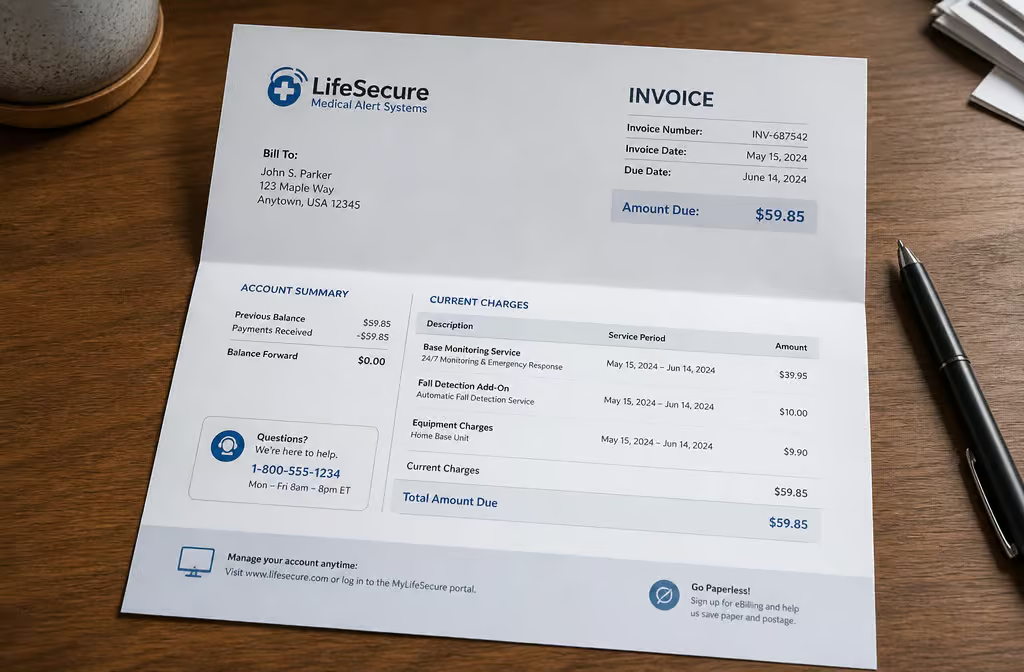
Then there are the extra fees. Some companies charge equipment fees — you might be leasing the device or buying it outright. Expect $149–$247. Activation fees can be $75–$200.
You might wonder if there are any fall detection devices without monthly fees. The answer is that true no-monthly-fee options are rare because fall detection relies on 24/7 monitoring centers that require ongoing staffing and infrastructure. A few personal emergency response systems (PERS) offer a one-time purchase model, but they typically lack automatic fall detection and rely on the user pressing a button. For most seniors, the monthly fee is the trade-off for reliable, round-the-clock monitoring.
Protection plans for lost, stolen, or damaged equipment run $5–$7/month. Caregiver apps are usually free, but sometimes cost a few bucks a month.
Let’s look at Medical Guardian as an example. Base plan $36.95 + $10 fall detection + $199 equipment = $763 for the first year. Use the NCOAFREE code, and you drop the equipment fee — now it’s $563. Still not cheap, but better.
To avoid surprise fees, review the final cost breakdown before you commit.
How to save: Look for seasonal sales (Black Friday is a good time). Pay quarterly or annually for a discount. Check your insurance — especially long-term care insurance, which might cover it. Use FSA or HSA funds (it’s pre-tax money).
Some companies offer discounts for AARP or USAA members. Qualified veterans should check with the VA.
Insurance: Original Medicare (Parts A and B) won’t cover a medical alert system. Medicare Part C (Medicare Advantage) might cover some or all — worth a call to your provider. Most Medicaid programs won’t cover it either. Long-term care insurance might. Your best bet is to call your insurance provider directly and ask.
GPS and location tracking: How help finds you
The difference between in-home and mobile systems isn’t just about where you are — it’s about how fast dispatchers can find you.
In-home systems use a base station connected to a landline, cellular, or Wi-Fi network. They have a range of 600–1,400 feet, which covers the house and yard. If your parent falls in the bathroom or out by the garden, the base station picks up the signal.
Mobile systems use cellular and GPS. When the button is pressed, GPS coordinates are automatically sent to the dispatcher. Medical Guardian and Bay Alarm both had accurate GPS in NCOA’s tests. That means if your parent is at the grocery store or the park, help knows exactly where to go.
Before you buy, check AT&T and Verizon coverage maps in your area. A system is useless if it can’t get a signal.
What to look for when buying
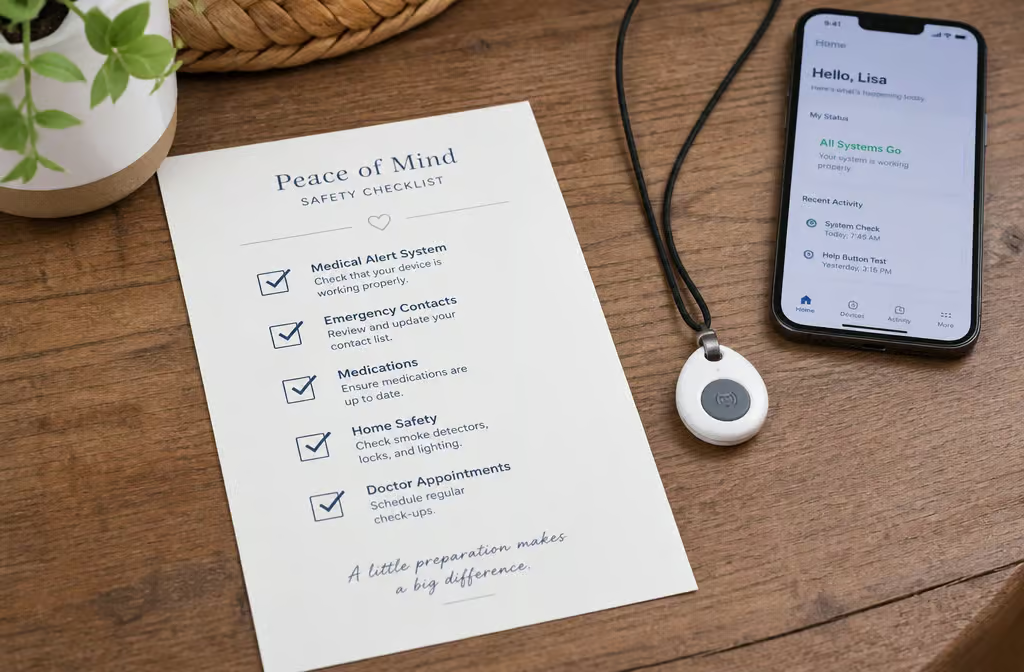
Here’s a checklist I wish I’d had when I started. Compare each system against it.
- Fall detection accuracy: Look at independent test results. 3 out of 3 is the gold standard.
- Adjustable sensitivity: Reduces false alarms. If the system can’t be adjusted, you’ll regret it.
- GPS reliability: The company has to know where the person is. Test it.
- Connectivity: In-home (cellular/landline/Wi-Fi) vs. on-the-go (LTE cellular). Decide what your parent needs.
- Coverage: Check AT&T and Verizon maps before buying.
- In-home range: 600–1,400 feet is ideal for covering the whole house and yard.
- Battery life: Multi-day is good. Think about how often your parent will remember to charge.
- Customer service: Only Medical Guardian and Bay Alarm offer 24/7 support across phone, email, and chat. That matters when you have a question at 10 PM.
Smart home and security integration: Some systems, like ADT, integrate with home security systems, which can be a plus if you already have that setup. Smart home integration with Alexa or Google Home is not a standard feature on most medical alert systems, but tech-savvy users may want to check if a given system offers it for added convenience.
- Contract: Month-to-month is ideal. Avoid anything over a year. Life Alert requires three years — hard pass.
- Warranty and protection plan: Devices get worn constantly, so they can get damaged or lost. A protection plan might save you money in the long run.
Final thoughts
Here’s the short version. If you want one system that checks every box, Medical Guardian is it. But if budget, battery life, or customer service matter more, one of the other three NCOA picks will serve you well.
Don’t forget to factor in total cost — not just the monthly fee. Use the discount codes (NCOAFREE for Medical Guardian, SAFE4FREE for MobileHelp) and check coverage maps before you buy.
I hope this helps you make the call faster than I did. Your parent deserves a system that actually works, and now you know exactly which ones do.
People Also Ask
What is the best medical fall alert system for seniors?
Based on independent testing, Medical Guardian scored highest overall with a 9.9/10 rating, catching all test falls with a 52-second average response time. Bay Alarm Medical, MobileHelp, and LifeFone also passed rigorous fall detection tests, each with different trade-offs in cost, battery life, and customer service.
How do seniors get free life alert systems?
No major system is completely free, but you can reduce costs significantly. MobileHelp offers no equipment or activation fees, and Medical Guardian has a discount code (NCOAFREE) that waives equipment fees. Some companies also offer seasonal sales, and you can use FSA or HSA pre-tax funds to pay.