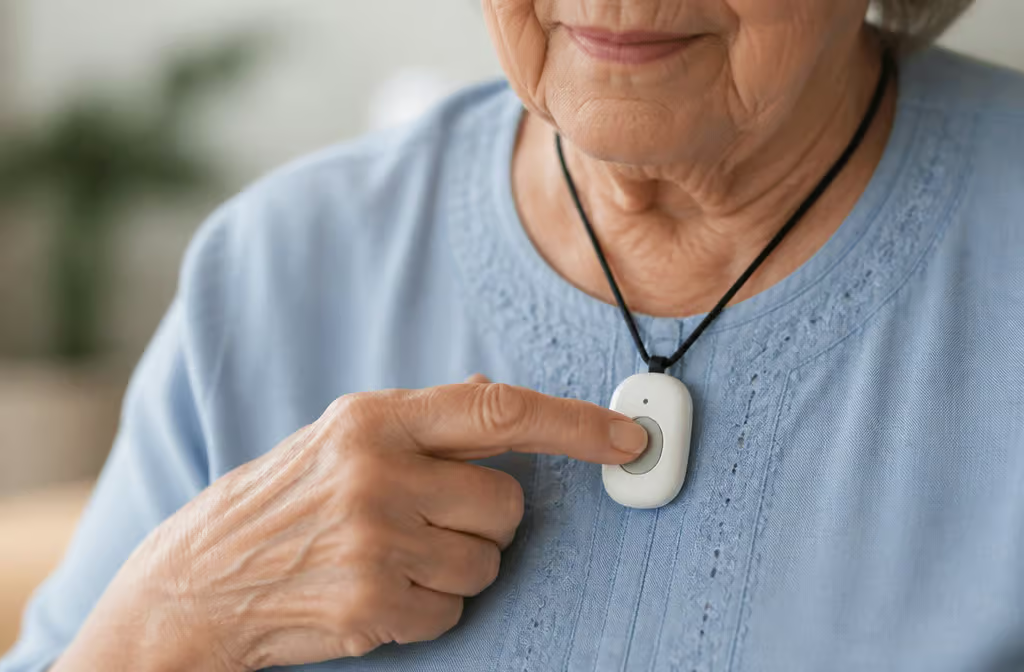
Why This Matters More Than You Think
Let me tell you about Bill. He’s a retired fire captain with 33 years of experience at Baltimore County Fire Department, and his mother Doris was the reason he got into medical alert systems in the first place. Doris had a pendant, she wore it most of the time, but she took it off in the bathroom because it was uncomfortable. Bill’s mother Doris used a medical alert system with a wearable pendant and an automatic fall detection device in the bathroom. Guess where she fell?
Bill’s story isn’t unusual. It’s the exact reason I’m writing this guide.
A medical alert system — also called a personal emergency response system, medical emergency response system, health monitor, or fall monitor, is a device that lets someone call for help when they can’t reach a phone. That’s it. Simple concept, potentially life-saving result.
Here’s the thing most people don’t realize until it’s too late: nearly 75% of people who buy one of these devices do it after a fall or medical emergency. That’s from a February 2025 survey. Three out of four people wait until something bad happens. Don’t be one of them.
Dr. Warren Wong, a geriatrician in Honolulu, puts it bluntly: lying on the floor for just an hour after a fall can cause a life-threatening condition called rhabdomyolysis. Your muscles start breaking down. An hour. That’s less time than most TV shows.
This matters because more than 28% of adults 65 and older fall each year, according to the CDC. And 88% of people aged 50-80 say it’s important to age in place — stay in their own homes. But only 15% have actually thought about how to make that happen. A medical alert system is one of the simplest ways to close that gap.
A 2017 study found that people who have these systems feel safer and become more active. Knowing there’s a safety net changes how you move through your day. It’s not just about emergencies — it’s about not being afraid to live your life.
Key Takeaways
Almost 75% of medical alert buyers purchase after a fall or emergency — don’t wait for the statistic to include you
Wrist-worn fall detection is less accurate than neck or belt-worn devices, which matters if fall detection is your priority
Life Alert costs $69/month with a $248 activation fee and a three-year contract, and doesn’t even offer fall detection — there are far better options
Table of Contents
Types of wearable devices (and the one big trade-off)
Pendants, watches, clip-ons, smart speakers, passive systems that don’t require wearing anything at all. Let me break it down, starting with the single most important decision you’ll make.
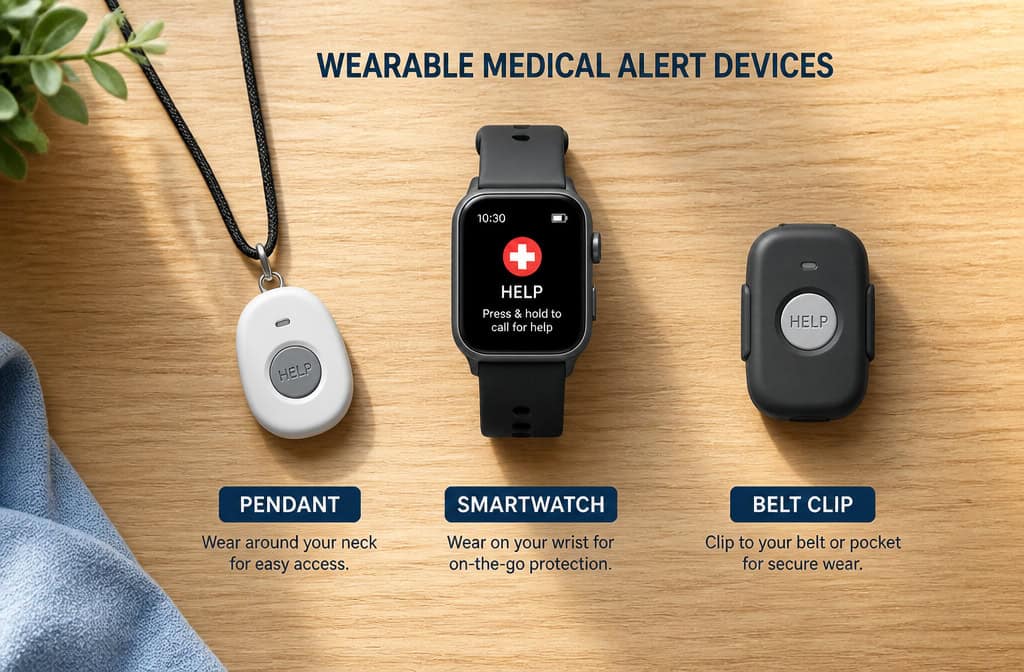
The trade-off: Where the device is worn changes how well it works. Fall detection sensors worn on the wrist are less accurate than those worn around the neck or on a belt. Your arms move constantly. Your torso doesn’t fall in the same ambiguous way.
So if fall detection is your priority — and it should be, for most people, that changes your first decision.
Pendants (neck-worn): These are the classic option. They’re accurate, often waterproof so you can wear them in the shower, and they work with a base station in your home. The pendant has a button you press, and if you have automatic fall detection, it can call for help even if you can’t reach the button. Most in-home systems have a range of 200 to 1,400 feet from the base unit, which covers most houses and apartments.
Smartwatches (wrist-worn): These are more discreet and come with extra features — step tracking, heart rate monitoring, sometimes even blood oxygen readings. They look like a regular watch, which matters if someone is self-conscious about wearing a “medical device.” But the trade-off is real: less accurate fall detection, more frequent charging (some need it every couple of days), and more tech to navigate. The Kanega watch, for example, includes medication reminders and comes with a pair of swappable rechargeable batteries, according to Wirecutter testing.
Clip-ons and belt-worn: Less common, but accurate like pendants. They clip onto a waistband or belt loop. Good option if someone doesn’t want anything around their neck.
Help buttons on walls or tables: These aren’t wearables at all. Help buttons can be affixed to a table or wall in strategic places like the bathroom. They’re useful as a backup even if you have a wearable.
Passive fall detection (radar or infrared): This is newer. Passive fall detection uses radar or infrared technology to detect falls without requiring a wearable device. Perfect for someone who absolutely refuses to wear anything.
Smart speakers: Smart speakers may be voice-prompted to make emergency calls or contact a center staffed with live agents. Response times can be very fast. The catch is it only works in the room where the speaker is.
In-home vs. mobile: This is another big fork in the road. In-home systems work within a certain range of a base station plugged into your wall. Mobile systems use cellular networks and GPS — they work anywhere there’s cell service. If you’re active and leave the house often, go mobile. If you mostly stay home, an in-home system is simpler and cheaper.
Most systems don’t need Wi-Fi, by the way. They use cellular or landline connections.
The true cost (and how to avoid getting trapped)
Let’s talk money. Monthly fees for monitored systems run between $20 and $60. Fall detection is usually an add-on, costing an extra $5 to $12 a month. Equipment fees can go up to $200. Protection plans for lost or damaged devices add another $3 to $8 a month.
But here’s where things get ugly.
The cautionary tale: Life Alert
Life Alert is the system everyone’s heard of. I’d steer you away from it. Their Micro Voice Pendant System costs $69 a month. There’s a $248 activation fee.
They require a three-year contract. They don’t post their prices online — you have to call, which is never a good sign. And here’s the kicker: they don’t even offer fall detection. For $69 a month with a three-year commitment, you can’t get the feature most people buy these systems for in the first place.
The better alternative: LifeFone
LifeFone is basically the opposite story. Their fall detection costs only $5 a month — about half the industry average. No setup fees, no cancellation fees. They offer a 30-day money-back guarantee and a lifetime warranty (limited to manufacturing defects, so read the fine print on wear and tear).
Their battery lasts 10 days, which is double the next best option. Their average response time is 22 seconds, the fastest among major brands tested.
Can you get any of this covered?
Original Medicare (Part A and B) won’t pay for medical alert systems. Period. Some Medicare Advantage plans might offer partial or full coverage — worth a phone call to check. Veterans should talk to their primary care provider to see if they are eligible for a device through the U.S. Department of Veterans Affairs. Organizations like AARP sometimes have discounts. Some companies offer reduced prices or sliding fees for people with lower incomes, or discounts for quarterly or annual payment.
If a doctor has recommended it, a medical alert system might be considered a medically necessary expense for tax deduction. Keep the paperwork. You can also use HSA or FSA funds.
A couple of promo codes worth knowing: SAFE4FREE for MobileHelp, NCOAFREE for Medical Guardian.
The cancellation trap
Here’s something nobody talks about until it’s too late: some companies make it really hard to cancel. Read the cancellation policy before you sign up. Check if there are early termination fees or return requirements. People on forums like Mayo Clinic Connect have shared stories of struggling to disconnect service. Don’t let that be you.
Fall detection — which type works best?
Automatic fall detection was the most popular special feature buyers wanted in that February 2025 survey. That makes sense. A fall can leave someone unconscious or disoriented. If they can’t press a button, the device needs to do it for them.
The placement finding bears repeating: wrist-worn devices are less accurate than neck or belt-worn.
Passive detection (radar or infrared) solves the problem for people who won’t wear anything at all. It detects falls using sensors in the room. No wearable, no forgetting to put it on, no taking it off in the bathroom. The trade-off is that these systems are more expensive and more complex to set up.
The cost of automatic fall detection runs $5 to $12 a month extra. LifeFone’s $5 is the cheapest among major brands.
Remember Dr. Wong’s warning: an hour on the floor can cause rhabdomyolysis. Fast, accurate detection isn’t a luxury feature. It’s the difference between a scary story and a tragedy.
Top-rated medical alert systems compared (2026 NCOA data)
The National Council on Aging (NCOA) ran a massive evaluation — 3,000 hours of testing across 35 devices against 70 testing criteria. Here’s what they found, with the caveat that the best system depends on your specific situation.
Medical Guardian (9.9/10) — Best overall
Average response time of 29 seconds. Pendant range of 1,400 feet from the base unit. Automatic fall detection included. Battery lasts about 5 days. If I had to recommend one system for most people, this would be it.
Bay Alarm Medical (9.8/10) — Best customer service
Perfect 10/10 score for customer service. Response time is about 51 seconds, battery lasts 3 days, and range is 1,000 feet. If you’re worried about being able to reach someone when you call, this is the one.
MobileHelp (9.7/10) — Best value
Starts at $25.95 a month with no equipment fees. Response time of about 49 seconds. Battery lasts 6 days. Good option if you’re watching your budget but don’t want to sacrifice quality.
Medical Alert (9.2/10) — Easiest setup
Perfect 5/5 score for unboxing and setup. Response time of about 42 seconds. Battery only lasts 2 days, and range is 800 feet. If someone is not tech-savvy, this is the one to get.
LifeStation (8.9/10) — Best for insurance discounts
Up to 30% off with insurance. Fastest response time in testing at 27 seconds. Range of 1,300 feet. Good option if your insurance offers a discount.
LifeFone (9.4/10) — Longest battery life
Ten days of battery life — double the next best. Fastest response time at 22 seconds. Fall detection costs only $5 a month. No setup or cancellation fees. If you hate charging things, this is the one.
A few others worth knowing:
- Medical Care Alert: Home device starts at $29.95/month, smartwatch at $39.95/month with a $149.95 equipment fee
- Aloe Care Health: More modern, tech-forward. Equipment fees are $200-$350, and the care button only works within 200 feet of the hub
- GetSafe: Wall buttons instead of wearables. Equipment fees from $79 to $307.
What to avoid: Life Alert. We covered the reasons. $69/month, $248 activation fee, three-year contract, no fall detection. Don’t do it.
The real-world struggle (getting them to wear it)
Here’s the problem nobody mentions in the glossy brochures: the device is useless if it’s in the laundry basket.

My own experience taught me this the hard way. My mom’s pendant ended up in couch cushions, under the bed, in a coat pocket. Not because she was trying to hide it — it just wasn’t comfortable, or she forgot, or she took it off for a nap and it fell somewhere. The common failure pattern we see in user reports is the same: the device works perfectly, but the person doesn’t have it on when they need it.
Bill’s mother Doris solved this by adding a fall detection device in the bathroom — the one place she kept taking the pendant off. It’s a simple fix: meet them where they actually are, not where you wish they were.
Common hiding places: Laundry, couch cushions, under beds, kitchen drawers, bathroom counters, car glove compartments. If you’re a caregiver for someone with a pendant, you need a how to find a lost medical alert device systematic search plan. Check the laundry before you start the wash. Have them show you where they took it off. It becomes a routine.
Solutions that actually work:
- Automatic fall detection as backup: Even if they’re not wearing the pendant, a passive system or an automatic fall detection device in a strategic location can still call for help
- Passive radar or infrared: No wearable at all. The system detects falls through room sensors
- Watch-style device: Less likely to be taken off, but less accurate fall detection. The trade-off is real
- Involve them in the choice: The best device is the one they’ll actually wear. Let them try different options. Listen to their feedback about comfort and convenience
Real stories from real people:
A woman on Mayo Clinic Connect (username minnesota10) has both a Medic Alert bracelet and an Apple Watch with fall detection. The Apple Watch actually detected a fall — she ended up on the floor, hit “yes” on the watch, and declined medical help. She also bought a Medic Alert accessory that hooks onto the watch band, combining both systems.
Another user (klondikedarol) tried Bay Medical and found it worked well wherever they traveled, at a reasonable price. They’ve used it for nine months with zero complaints. User writernana has used a Lively device and smartphone for several years, finding the combination reliable for daily peace of mind.
And healthconscious? They struggled to cancel their service, which is why I keep telling you to read the cancellation policy.
One of my favorite examples is an 85-year-old woman in a wheelchair whose son (Steve Mullen) bought her an Amazon Echo and smart plugs. She uses voice commands to control lights and call for help. Shows what’s possible when you match the tech to the person.
Why the old-school medical ID still matters
EMTs are trained to look for a medical bracelet or necklace in a critical emergency. That’s from a comment by an EMT’s parent on Mayo Clinic Connect. When someone is unconscious, a piece of jewelry can speak for them.
Medical ID jewelry isn’t obsolete. It works alongside a wearable alert.
A woman named Rosemary has worn a Medic Alert bracelet for 14 years after an organ transplant. Multiple ER doctors saw it after a fall. Another user (ginger) uses Medicalert.org, a non-profit that provides a member number on a necklace — simple, low-tech, reliable.
There’s also a digital complement worth knowing: Emergencyprofile.org connects your health information to 911 through RapidSOS. It’s basically a digital medical ID that emergency responders can access. The Apple Watch also has medical ID sharing built in.
The practical next step: A key lockbox for the home. It doesn’t matter if the alert system works perfectly if emergency services can’t get through the front door. Many systems don’t tell you this, but you need a plan for how responders will enter. A lockbox mounted near the door, with a key inside, is the simplest solution.
Building the safety net (smart home devices that help)
A medical alert system is the foundation. But it’s not the whole house. Here are the smart home additions that solve specific daily problems — all from real people using them right now.
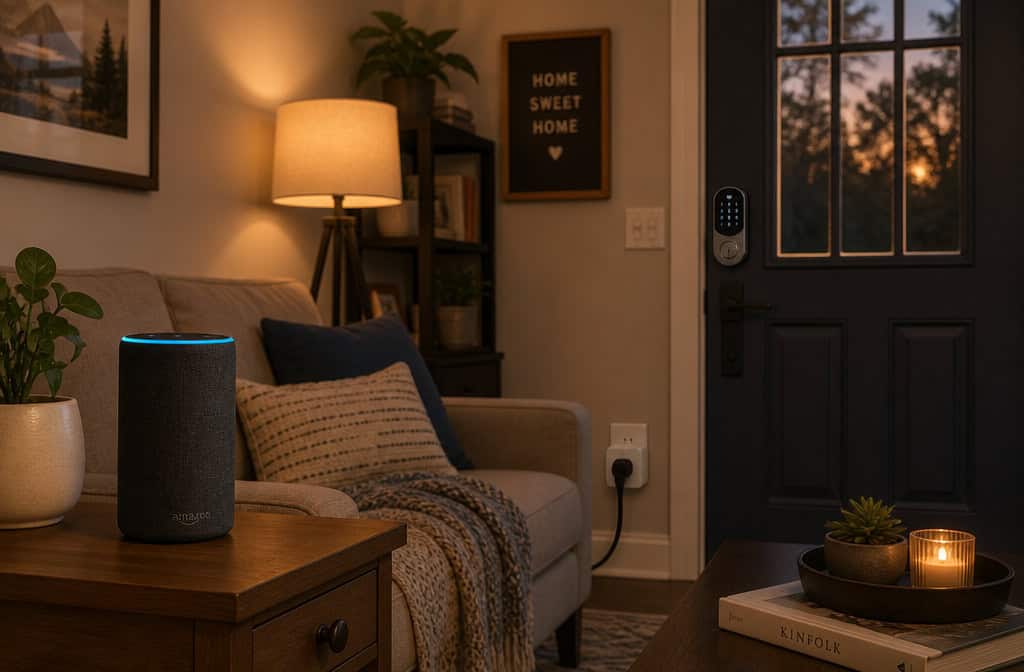
Smart speakers: Anne Madison, 75, in Baltimore, uses Alexa Emergency Assist. She had a fall, couldn’t get up, said “Alexa, call for help,” and paramedics came. She also uses smart lights so she doesn’t have to cross a dark room to flip a switch. Amazon Echo is the most common choice here. For those who prefer an iPhone as their central device, the Apple iPhone 17 Pro Max offers a 6.9-inch diagonal screen, 3,000 nits brightness, up to 39 hours video playback (35 hours streaming), 2868×1320-pixel resolution, 120 Hz refresh rate, triple-lens rear camera, always-on display, Ceramic Shield 2 coating, and aluminum body.
Smart plugs: Dan Kosmowski uses a smart plug to turn off his father’s TV at 10 PM. Solves a dementia-related distraction — his dad would lose track of time and stay up all night. TP-Link Kasa Smart Wi-Fi Plugs are the go-to. Simple, cheap, effective. For window coverings, SmartWings shades are available in blackout fabric that helped regulate room temperature in tests.
Smart locks: Jessica Guthrie uses smart locks to let home-health aides into her 77-year-old mom’s house. No hiding spare keys, no worrying about who has a copy. The Schlage Arrive Smart WiFi Deadbolt allows remote lock/unlock and checking door status via app. Yale also makes reliable options, such as the Yale Approach Lock with Wi-Fi + Keypad, which replaces the thumb turn of an existing deadbolt and includes a wireless keypad and Wi-Fi hub.
Video doorbells: TP-Link Tapo D130 (wired) or D225 (battery). Someone with mobility challenges can see who’s at the door without getting up. A doctor quoted in the research said these are valuable for people with limited mobility.
Indoor cameras: TP-Link Tapo C120 or Eufy Indoor Cam C120. Important note: transparency and consent are crucial here. Don’t install cameras without the person knowing and agreeing. The goal is safety, not surveillance.
Water leak sensors: YoLink detects water in about 2 seconds. For someone who might leave the tub running or has a leaky pipe they can’t get to quickly. The Aqara Hub supports up to 128 sensors, making it a versatile option for whole-home monitoring.
Smart pill dispensers: Hero. For anyone who struggles with medication schedules.
Smoke and carbon monoxide alarms: Kidde Smart. A medical alert doesn’t help if there’s a fire and no one knows.
The pattern here is simple: each device solves one specific, predictable problem. You don’t need all of them. You need the ones that match the person’s actual daily struggles.
Make the proactive choice
The best time to buy a medical alert system is three months before you think you need one.
Here’s the decision tree:
- Fall detection priority: If fall detection is critical — and for most people it should be, choose a neck-worn pendant or belt-clip device for accuracy. If discretion matters more, a watch-style device is fine but understand the trade-off. If someone will refuse to wear anything, go with passive detection.
- Pick a brand: Medical Guardian for overall reliability. LifeFone if you hate charging things. MobileHelp if budget is tight. Bay Alarm if customer service is your top concern. Avoid Life Alert.
- Add a medical ID (bracelet or necklace) and a key lockbox. These are cheap insurance.
- Test the device regularly. Most systems need regular testing.
One last resource: The NCOA Falls Free CheckUp tool. It’s a free online assessment that helps you evaluate fall risk. Start there.
Final piece of advice: Involve the older adult in every decision. The device they help choose is the device they’ll actually wear. Listen to their concerns about comfort, appearance, and complexity. And read the cancellation policy before you sign anything. For practical fall prevention, consider tips from an emergency physician, such as removing tripping hazards and improving home lighting.
A medical alert system — the right one, chosen together, is one of the simplest tools to make that happen. Don’t wait until after the fall.
People Also Ask
What is the best wearable medical alert system?
The best system depends on your priorities. Medical Guardian scores highest overall with a 9.9/10 rating, a 29-second response time, and a 1,400-foot range. LifeFone offers the longest battery life at 10 days and the fastest response time at 22 seconds, while MobileHelp is the best value starting at $25.95 a month with no equipment fees.
How does fall detection work on medical alert systems?
Fall detection uses sensors to detect the motion and impact of a fall. Wrist-worn devices are less accurate than neck or belt-worn ones because your arms move constantly, while your torso falls in a more distinct way. Passive systems use radar or infrared sensors in the room to detect falls without requiring any wearable device.
Is Life Alert worth the cost?
Life Alert is generally not worth it. It costs $69 a month with a $248 activation fee and requires a three-year contract, yet it doesn’t even offer fall detection. There are far better options like LifeFone, which has no setup or cancellation fees, fall detection for only $5 a month, and a 30-day money-back guarantee.
Can I get a medical alert system without a contract?
Yes, many companies offer month-to-month plans with no long-term contracts. LifeFone, for example, has no cancellation fees and a 30-day money-back guarantee. Always read the cancellation policy before signing up, as some companies make it very difficult to cancel service.